hide/collapse all day events
Currently due to nature of me working for two clients with two separate calendars I am every day Out of office in one or the other. As a result, every day I have an all-day event. So the AccuFlow calendar has all days always covered with all-day events from top to bottom. And it doesn't really look good. And what I would prefer is that the out-of-office or generally all-day events would be only at the top of the day and not covering the entire day in the week view of the calendar.
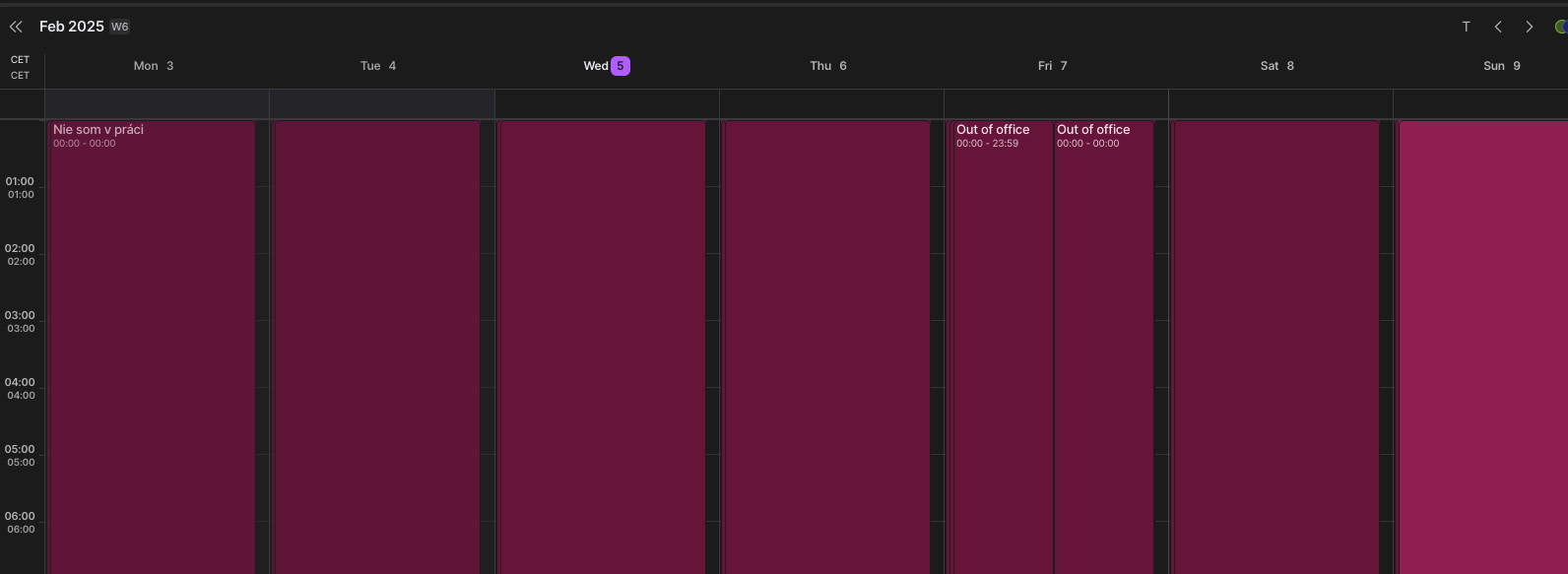
Log in to comment and vote
Comments4
John
Feb 9, 2025
Hi Simon! Can you try to click on the event and turn on the "all-day"?
Šimon
Feb 15, 2025
John Villarasa Hi! Huh, that worked! However, why do I have to click that manually? They were created as all day events in google calendar and show there like that.
Jeson P
Feb 16, 2025
Šimon Demočko: Hi! Could you please try to share a screenshot of an all day event in Google calendar that is not showing the same in Akiflow? Akiflow mirrors GCal events so this might be a bug if that is the case, but let us know!
Šimon
Feb 16, 2025
Jeson P Turns out it's OOO (out of work) events that do that. They don't explicitly have "all day" setting on-off in gcal, even when you put them in all day section, they simply cover the whole day. You can turn it to all-day afterwards in akiflow, but it requires manual intervention.
The interface is in slovak, sry for that, but the "nie som v práci" button is "out of office" button in english gcal.