Reverse the caret (arrow) direction to represent current state instead of action
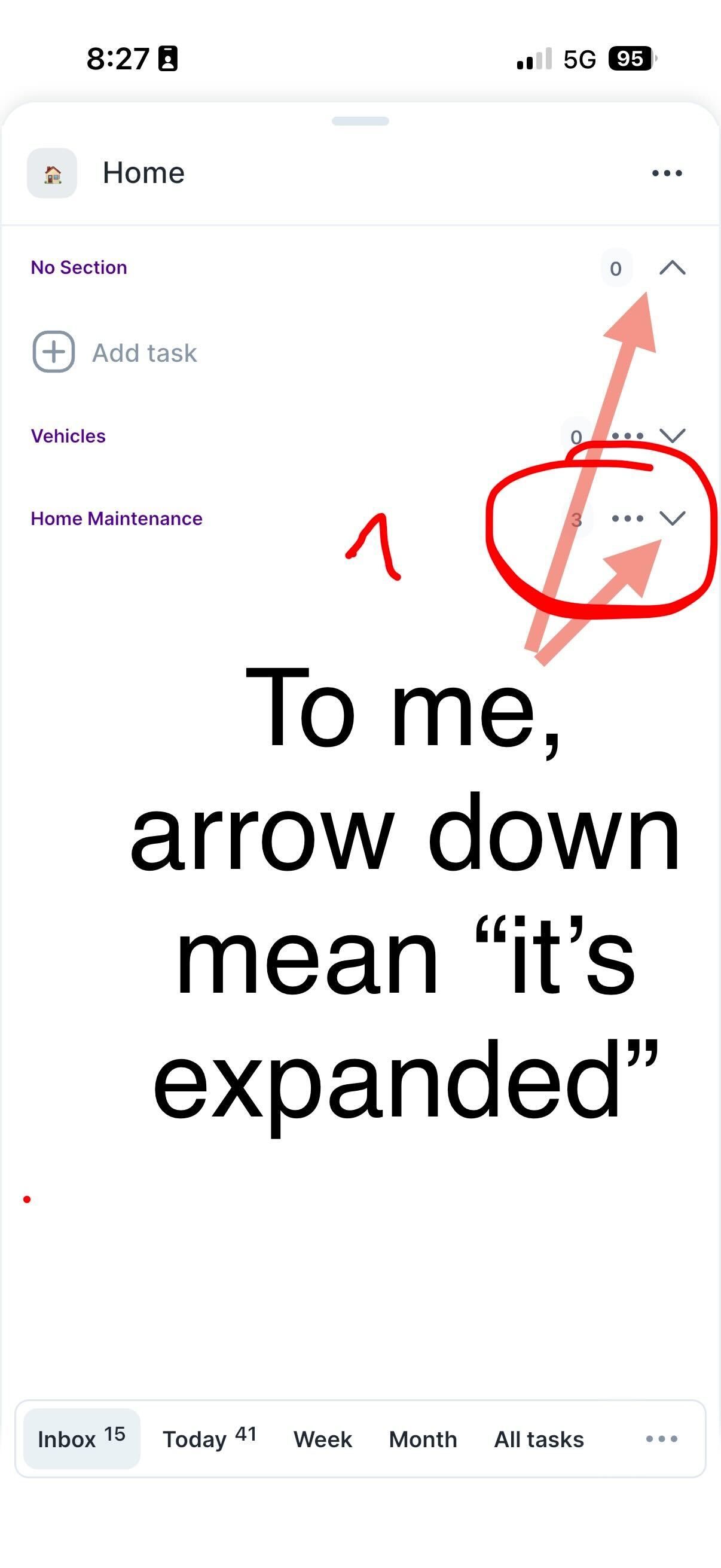
Currently, the caret arrow indicates what will happen when you click it (e.g., pointing down when the section is collapsed). This feels counterintuitive the arrow should instead reflect the current state of the section.
For example, when a section is expanded, the arrow should point down (showing it’s open), and when collapsed, it should point right (showing it’s closed). This would make the interface feel more intuitive and aligned with common UI patterns.

Log in to comment and vote
Comments1
Sudipto
Sep 21
•Merged request
•1 vote
Arrows to open folders and sections
The arrows for opening folders and sections (like Projects and Tags) indicate the next action rather than the current state, which is visually confusing. They don't look clickable and seem to show the current state instead. Reversing the arrows to display the current state would improve clarity.